
Set up StreamAscent IPTV
You need an account with an Xtream-compatible provider. StreamAscent IPTV doesn’t sell or recommend providers, and includes no channels of its own.
What you need
Your provider gave you these details when you subscribed — in a welcome email or message, or in your account panel.
- Server URL
- The address your provider gave you, including the port — for example http://host:8080. Some providers call it “host”, “DNS” or “portal”.
- Username
- Your account’s login name.
- Password
- Your account’s password.
Enter your details
- Open StreamAscent IPTV and choose Add profile.
- Give it a Display name — “Living room”, for example. It’s only a label.
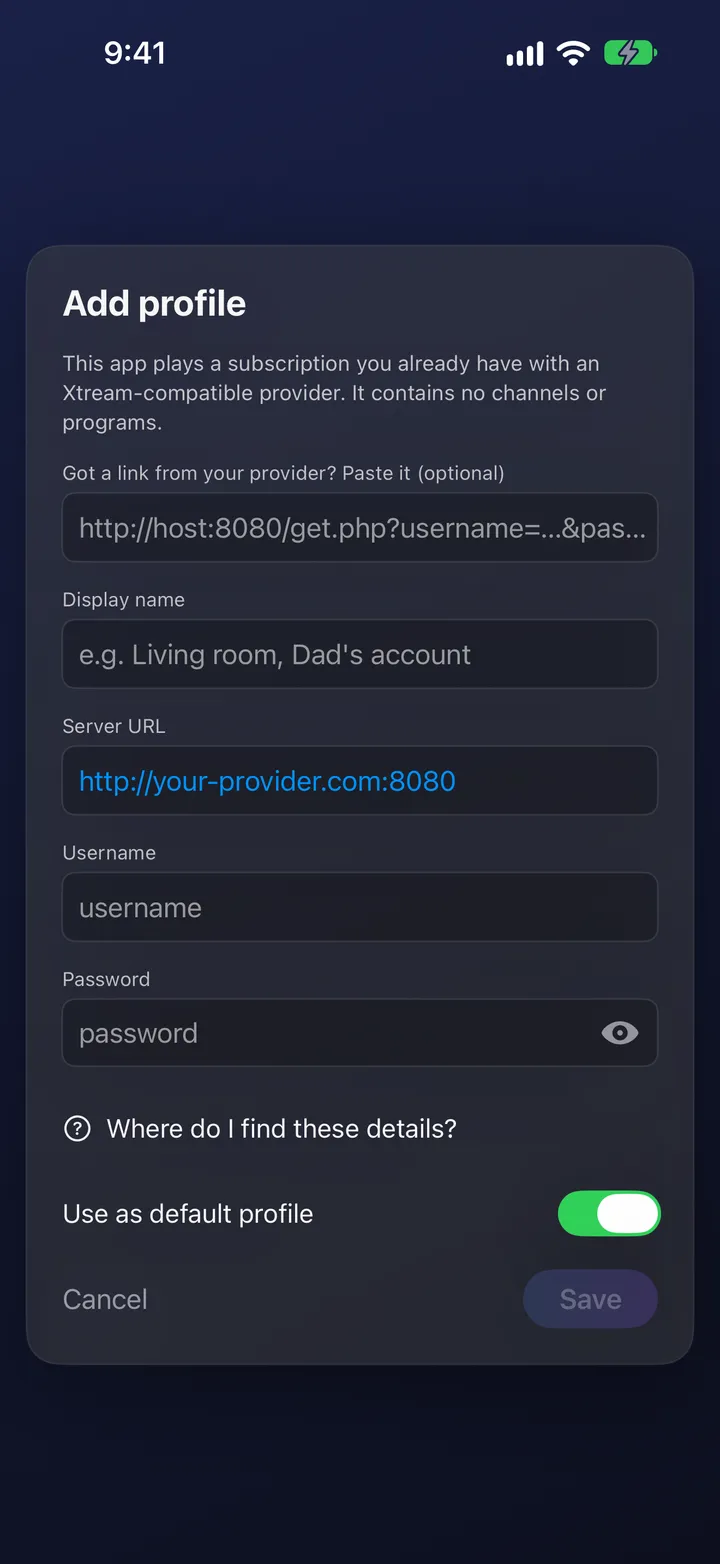
- Type the Server URL exactly as your provider wrote it: starting with
http://orhttps://, and with the port if there is one. - Type your Username and Password. Both are case-sensitive.
- Optional: turn on Use as default profile to connect automatically next time.
- Choose Save. The app connects and loads your channels, movies and series; a large catalog can take a little while the first time.

Or paste the link your provider sent
- Copy the link. It usually ends in
get.php,player_api.phporxmltv.phpand contains your username and password. - In Add profile, paste it into Got a link from your provider? Paste it (optional).
- When you see Link recognised — details filled in, check the three fields and choose Save.
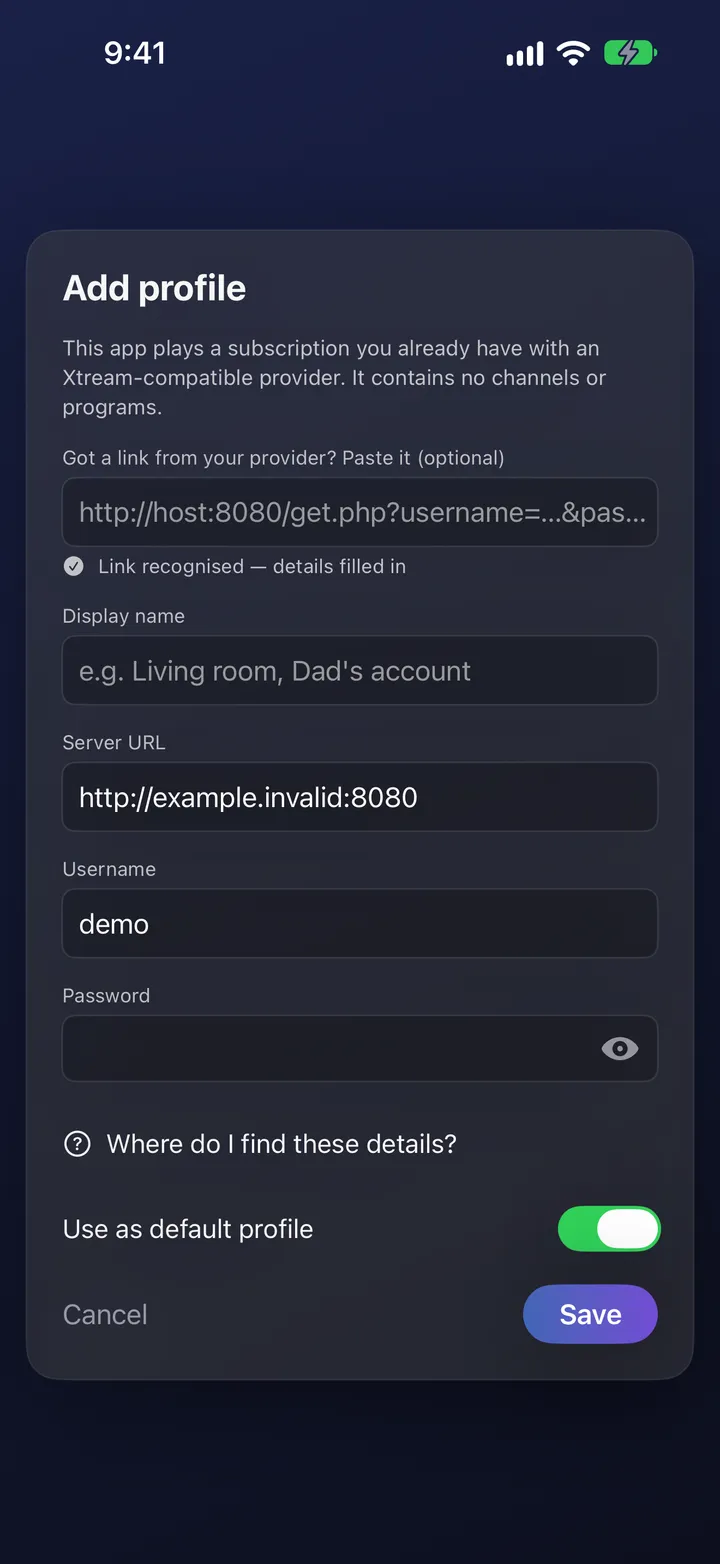

If the app says the link has no username or password, it filled in the server address only — type the rest.
That link contains your password. Don’t post it anywhere public.
M3U playlist files are not supported yet.
On Apple TV
Set up on your iPhone, iPad or Mac first: your profile then appears on Apple TV through iCloud. Apple TV asks for the password once, because iCloud Keychain isn’t available there. When a text field is selected, your iPhone offers to be the keyboard.
More than one profile
Your first profile is free. Adding more profiles is part of StreamAscent Pro.
Free vs ProIf sign-in fails
- The server can’t be reached
- Check the URL letter by letter,
httpvshttps, and the port; try another network or turn a VPN off; ask your provider whether the address changed. - The username or password is refused
- Retype both; they’re case-sensitive; watch for a space at the end when pasting.
- The account is expired or suspended
- That’s your provider’s subscription; renew it with them.
- Too many connections
- Providers limit how many streams an account can play at once; stop playback on another device.
- I only have an
.m3ufile - Playlist files aren’t supported yet; ask your provider for Xtream login details or a link ending in
get.php. - Signed in, but a section is empty
- The app shows what the account carries; ask your provider.